Understanding the Web Dashboard
The PoolOps web dashboard is your command center for managing customers, viewing reports, and handling business operations. Let's take a tour.
Dashboard Overview
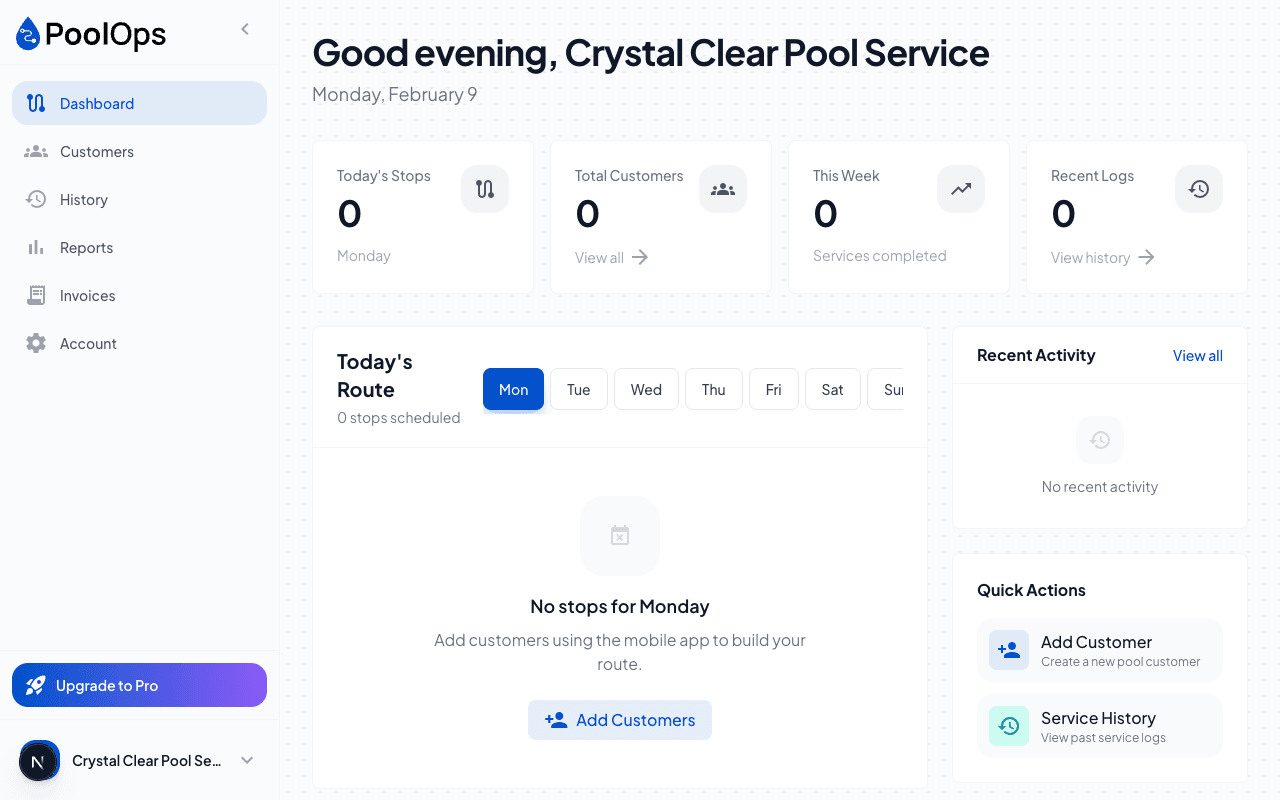
When you log in, you'll see the main dashboard with key metrics and quick actions.
Key Metrics
- Today's Stops - How many services are scheduled today
- Completed - Services finished so far
- Customers - Total active customers
- This Week - Weekly service summary
Navigation Sidebar
The left sidebar gives you access to all major sections:
Main Sections
| Section | What It's For |
|---|---|
| Dashboard | Overview and quick stats |
| Customers | Manage customer list |
| Routes | View and edit routes |
| Reports | Business analytics |
| Team | Manage technicians (Team plan) |
| Invoicing | Create and track invoices |
| Settings | Account and preferences |
Customer Management
Click Customers to see your full customer list.
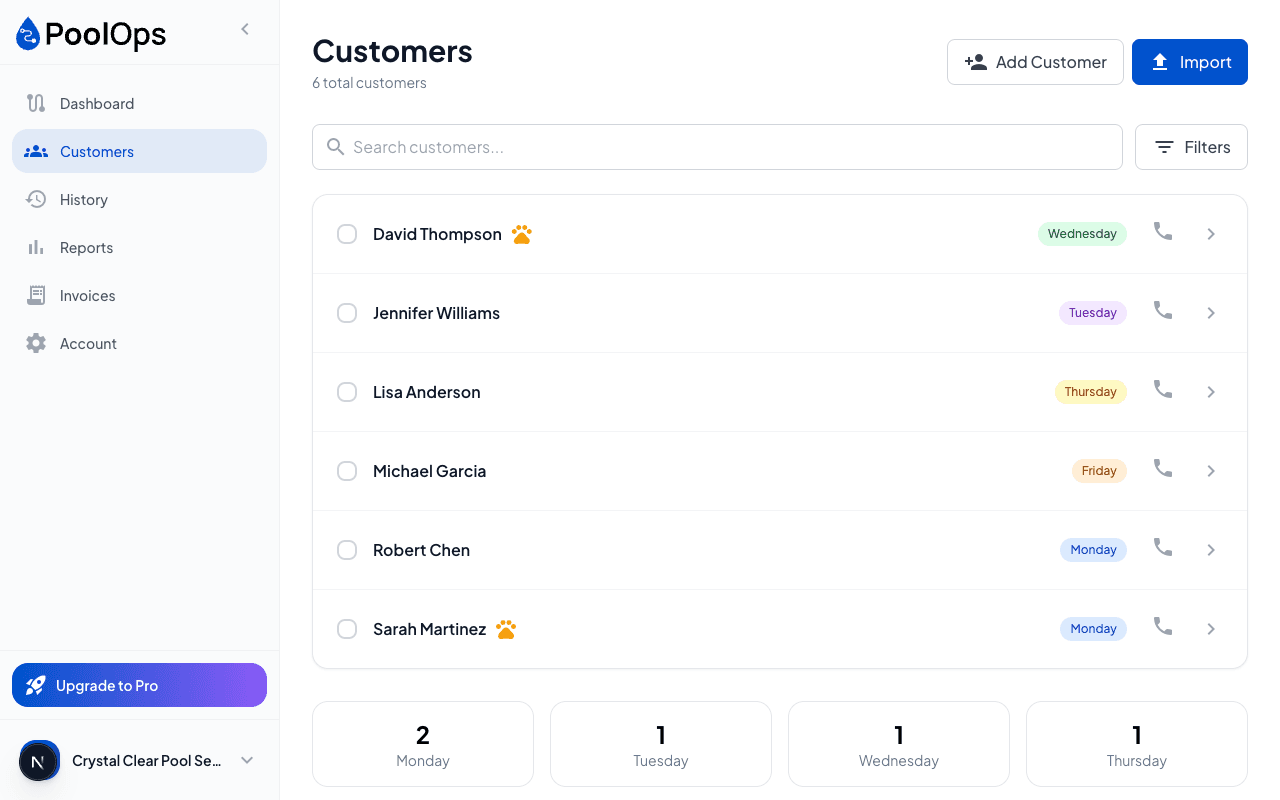
From here you can:
- Search customers by name or address
- Filter by day, frequency, or technician
- Add new customers
- Import from CSV
Click any customer row to see their full details, service history, and water body information.
Viewing Service History
Each customer has a detailed service history:
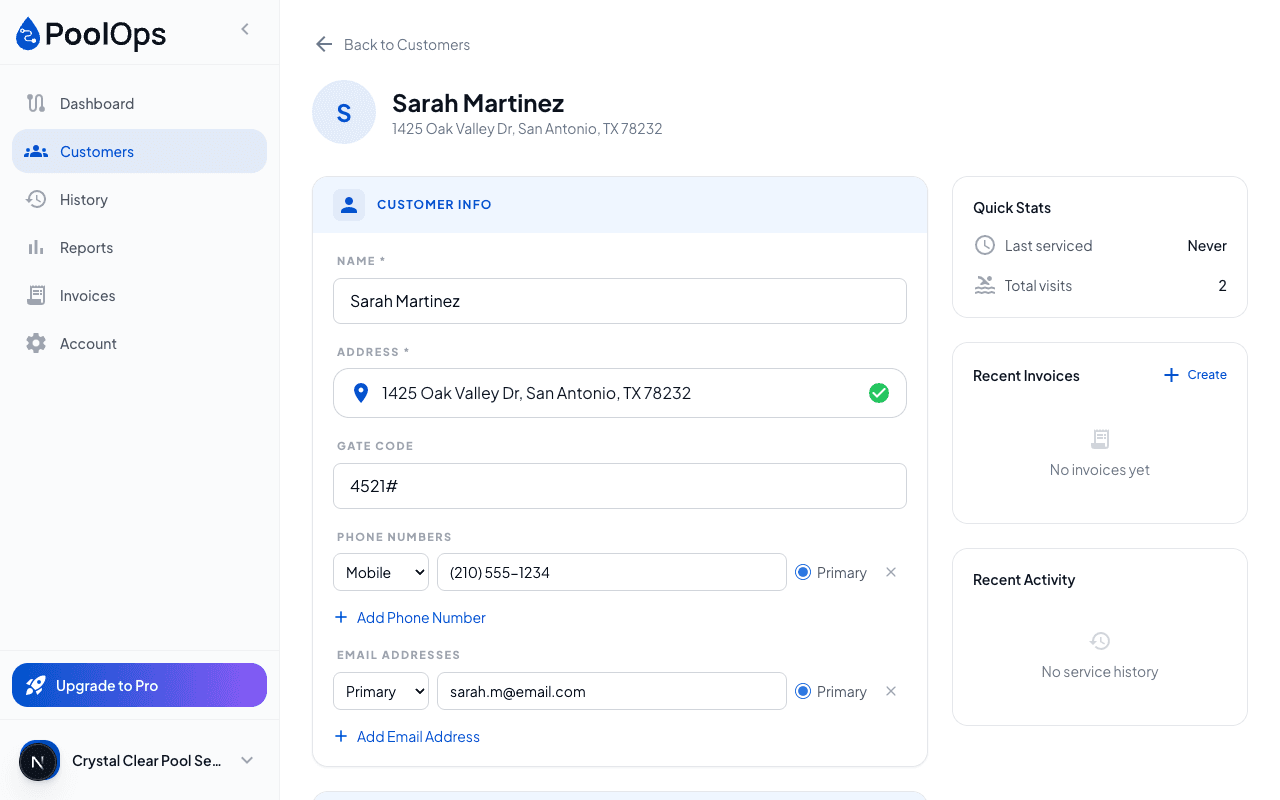
- Water readings over time
- Chemicals added
- Service photos
- Notes from technicians
Reports & Analytics
The Reports section gives you insights into your business:
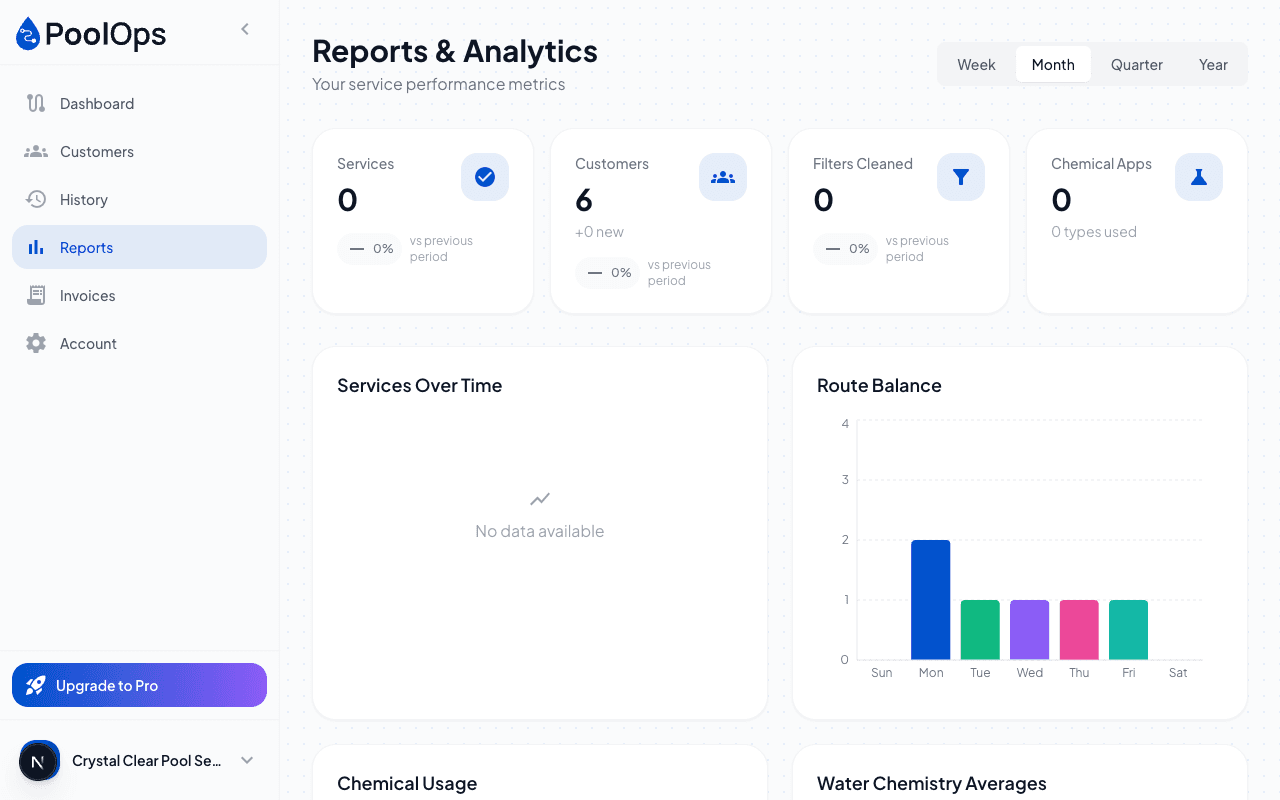
- Services completed per day/week/month
- Chemical usage trends
- Water chemistry averages
- Route efficiency metrics
Team plan users get additional reports for technician productivity and compliance.
Quick Actions
The top-right corner has quick actions:
- Add Customer - Quickly add a new customer
- Your Profile - Account settings and billing
- Notifications - Recent alerts and updates
Mobile vs. Web
| Feature | Mobile App | Web Dashboard |
|---|---|---|
| Daily route | Yes | View only |
| Complete services | Yes | No |
| Add customers | Yes | Yes |
| Import customers | Basic | Full CSV support |
| Reports | Basic | Detailed |
| Team management | No | Yes |
| Invoicing | No | Yes |
Use the mobile app for field work and the web dashboard for business management.