Creating Your PoolOps Account
Getting started with PoolOps is quick and easy. Follow these steps to create your account and begin managing your pool service business.
Step 1: Visit the Sign-Up Page
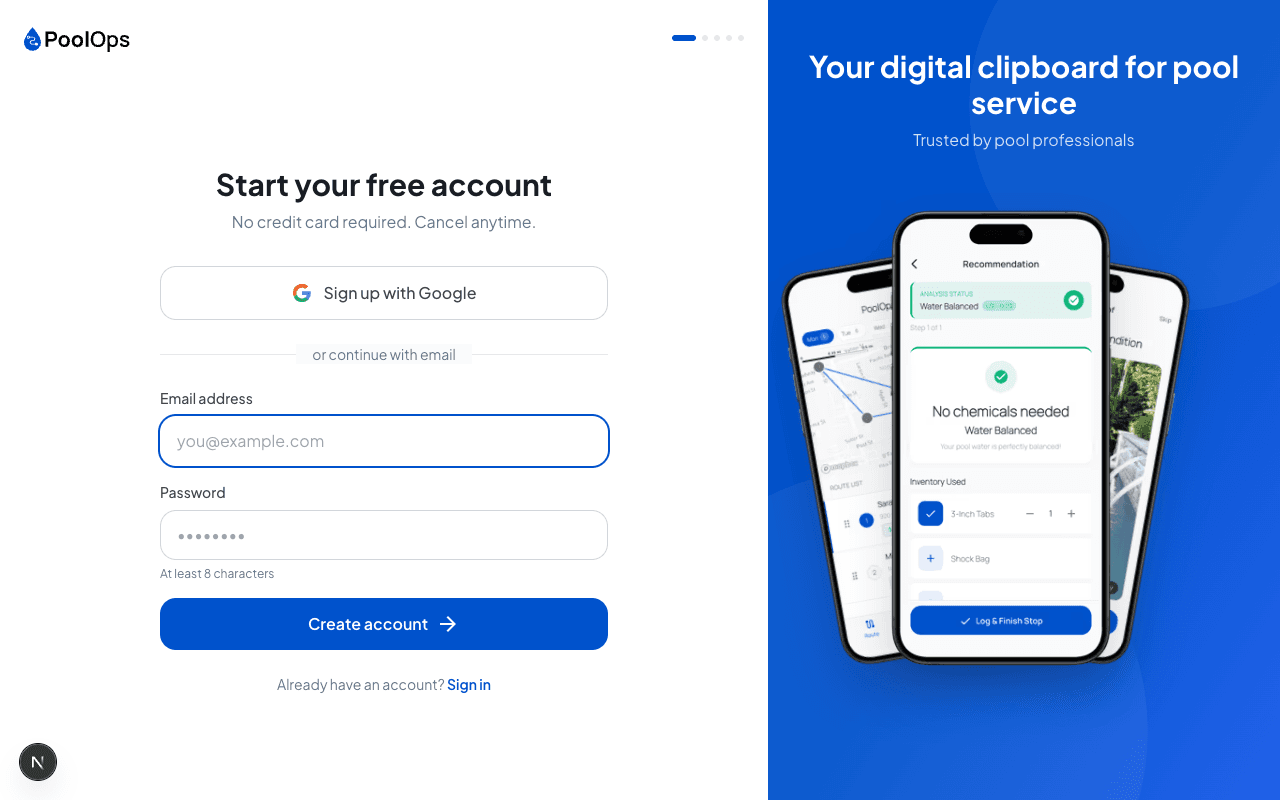
Go to https://poolops.app/signup to begin the registration process.
Step 2: Enter Your Information
You'll need to provide:
- Email address - This will be your login and where we'll send important notifications
- Password - Choose a strong password with at least 8 characters
- Name - Your name or business name
Use a business email if you have one - it looks more professional when sending service reports to customers.
Step 3: Verify Your Email
After signing up, check your inbox for a verification email. Click the link to confirm your account.
Don't see the email? Check your spam folder, or click "Resend verification" on the login page.
Step 4: Choose Your Plan
PoolOps offers two plans to fit your needs — and every plan starts with a 14-day free trial:
Solo Plan ($29.99/month)
- Unlimited customers
- Route optimization
- LSI calculator
- SMS service reports
- Ideal for individual pool professionals
Team Plan ($59.99/month + $9.99/seat)
- Everything in Solo
- Multiple technicians
- GPS verification
- Issue flagging
- Custom checklists
- Perfect for growing businesses
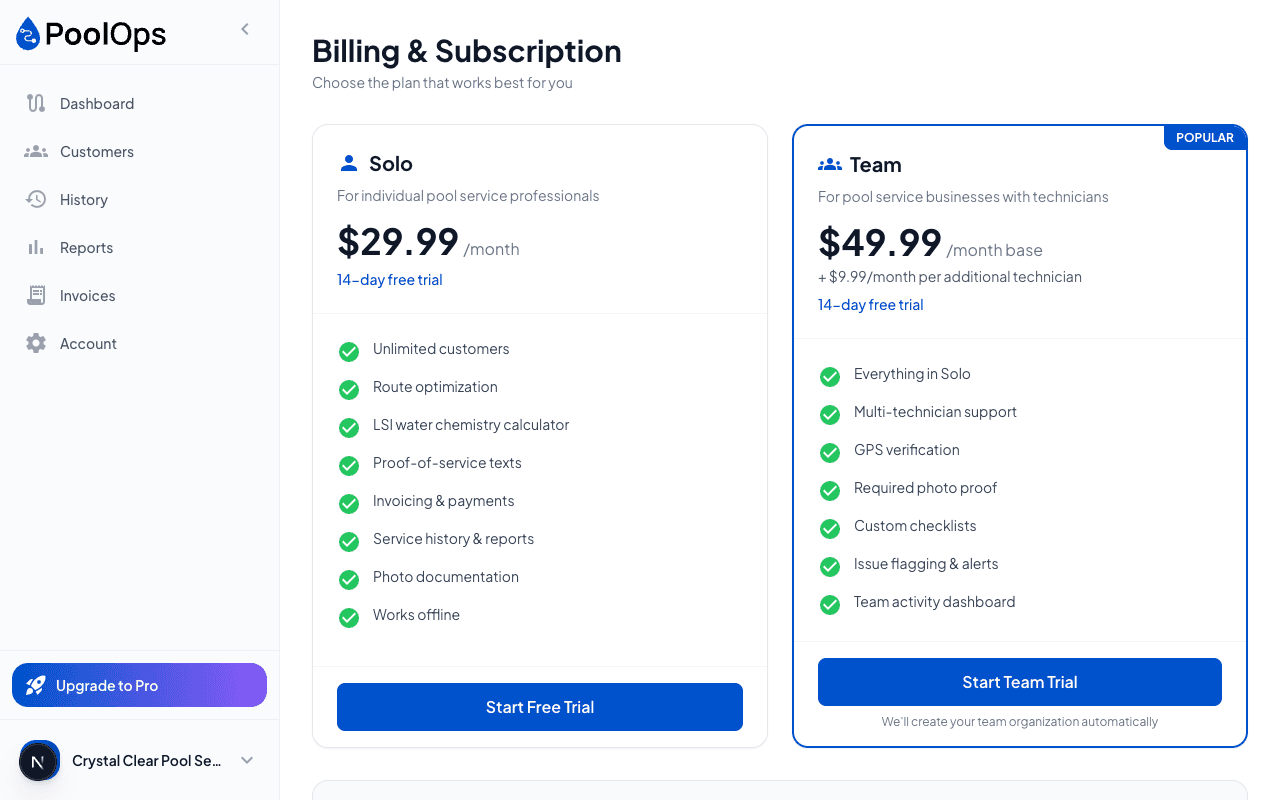
Every plan starts with a 14-day free trial, so you can try things out risk-free.
Step 5: Complete Onboarding
After choosing your plan, you'll be guided through a quick onboarding process:
- Set up your business profile
- Add your first customer
- Configure your preferences
What's Next?
Once your account is created, you can:
- Download the mobile app for field work
- Add your customers to start building your route
- Explore the web dashboard for business management
Need Help?
If you run into any issues during sign-up, contact our support team at support@poolops.app.