Using Service Checklists
Service checklists ensure consistent quality across all your stops. They're especially valuable for teams.
What Are Checklists?
Checklists are custom task lists that appear during service. They help you:
- Remember every task
- Maintain consistent quality
- Document what was done
- Meet customer expectations
Where Checklists Appear
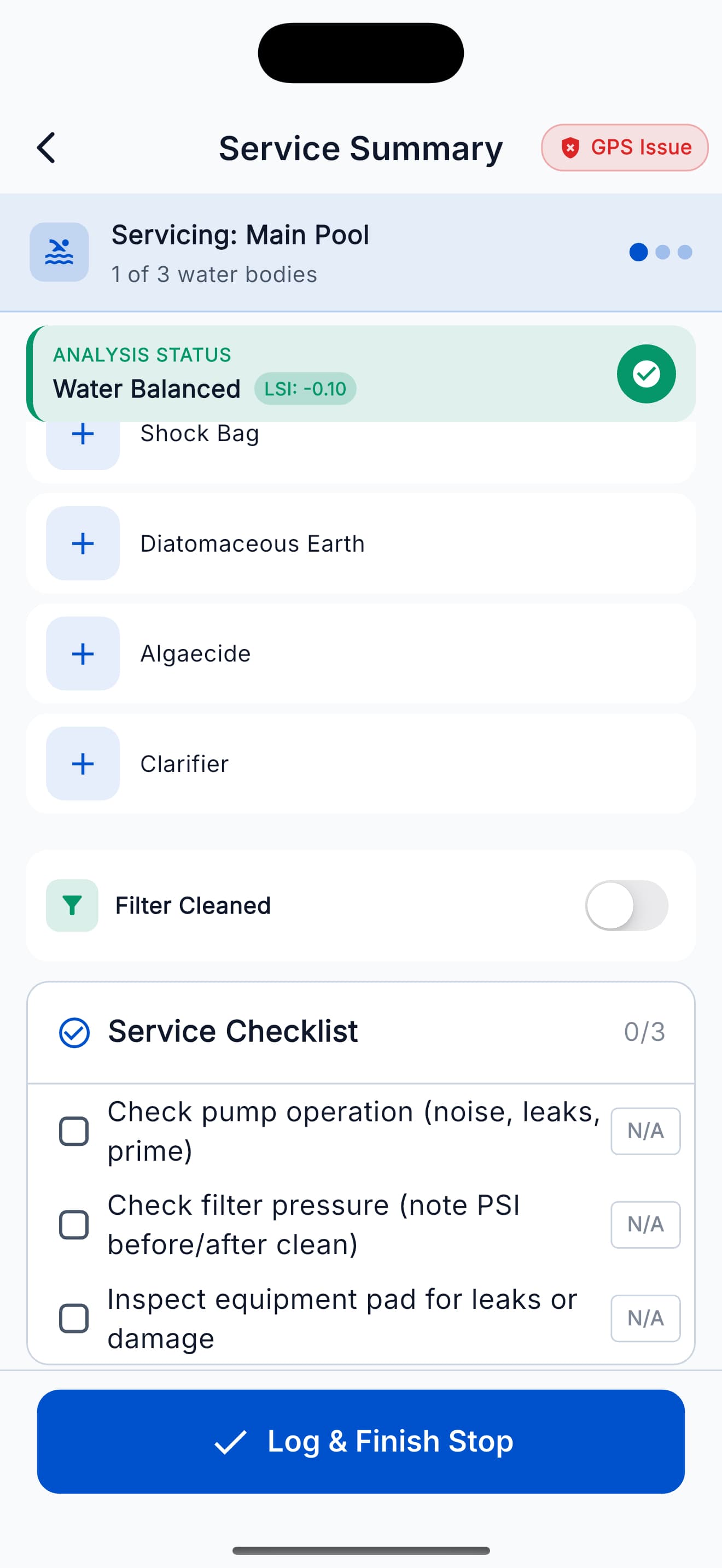
Checklists appear on the Dosage screen after entering water readings. Check off items as you complete them.
Default Checklist Items
Common checklist items include:
- Empty skimmer basket
- Clean pump basket
- Check filter pressure
- Brush walls and steps
- Vacuum if needed
- Check water level
- Inspect equipment
Completing Checklists
- View the checklist during service
- Tap each item as you complete it
- Checked items show a green checkmark
- Completed items are recorded in the service log
You can skip optional items, but required items must be checked before completing the service.
Custom Checklists (Team Plan)
Team plan users can create custom checklists:
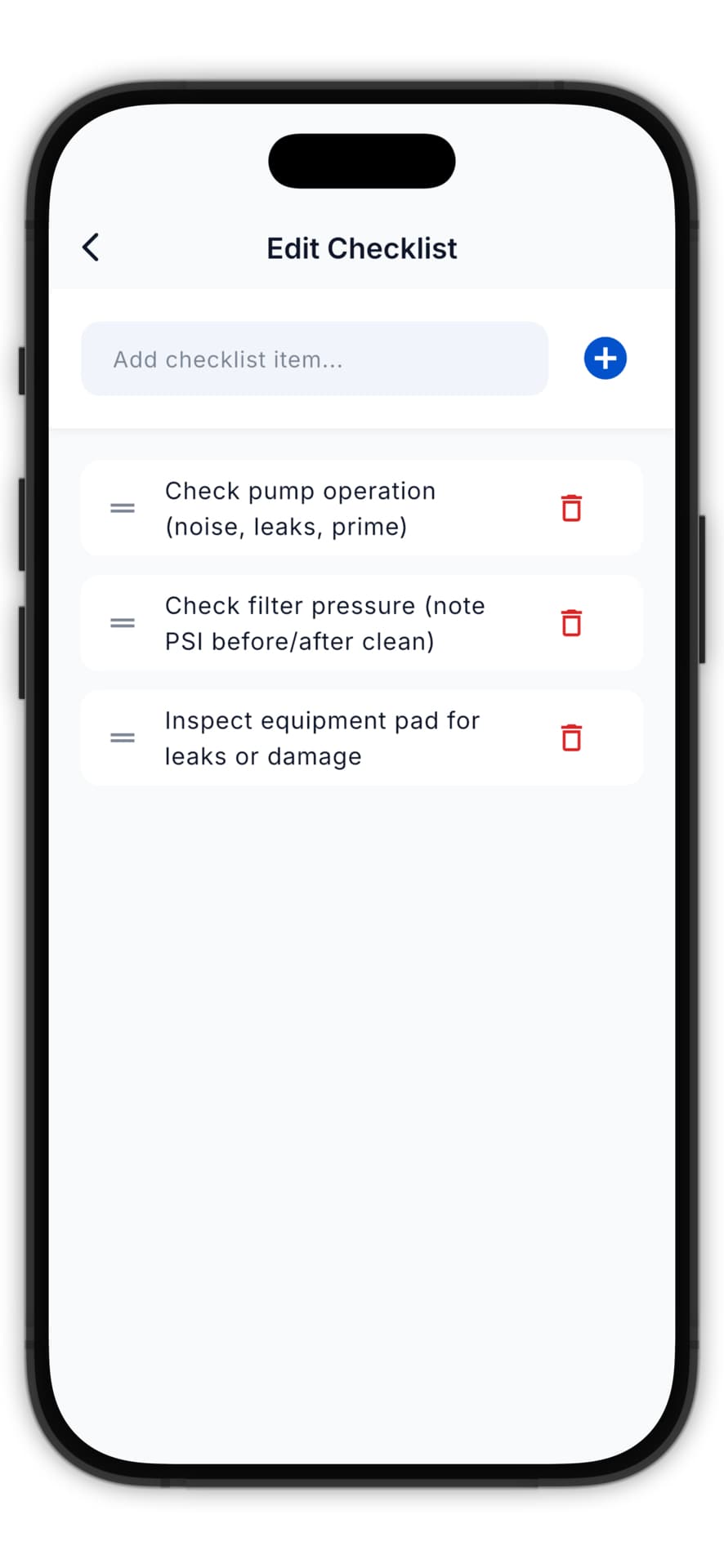
Creating a Checklist
- Go to Team > Checklists in the dashboard
- Click Create Checklist
- Add your items
- Mark items as required or optional
- Assign to customers or use as default
Per-Customer Checklists
You can assign different checklists to different customers:
- Commercial pools might have more items
- Residential pools might be simpler
- Special customers might have unique requirements
Checklist Reports
View checklist completion in reports:
- See completion rates by technician
- Identify missed items
- Track trends over time
High checklist completion rates indicate consistent service quality.
Best Practices
- Keep it reasonable - 5-10 items is ideal
- Be specific - "Check filter pressure" not just "Check filter"
- Order logically - Match the natural flow of service
- Review regularly - Update based on feedback