Flagging Issues for Customers
When you encounter a problem at a customer's property, flagging it ensures the owner knows and can take action.
When to Flag Issues
Flag issues for:
- Equipment problems - Pump not running, heater malfunction
- Safety hazards - Broken tiles, unstable decking
- Water quality - Green pool, persistent cloudiness
- Access problems - Gate code changed, dog blocking access
- Structural issues - Cracked plaster, damaged coping
When in doubt, flag it. It's better to over-communicate than miss something important.
How to Flag an Issue
During Service
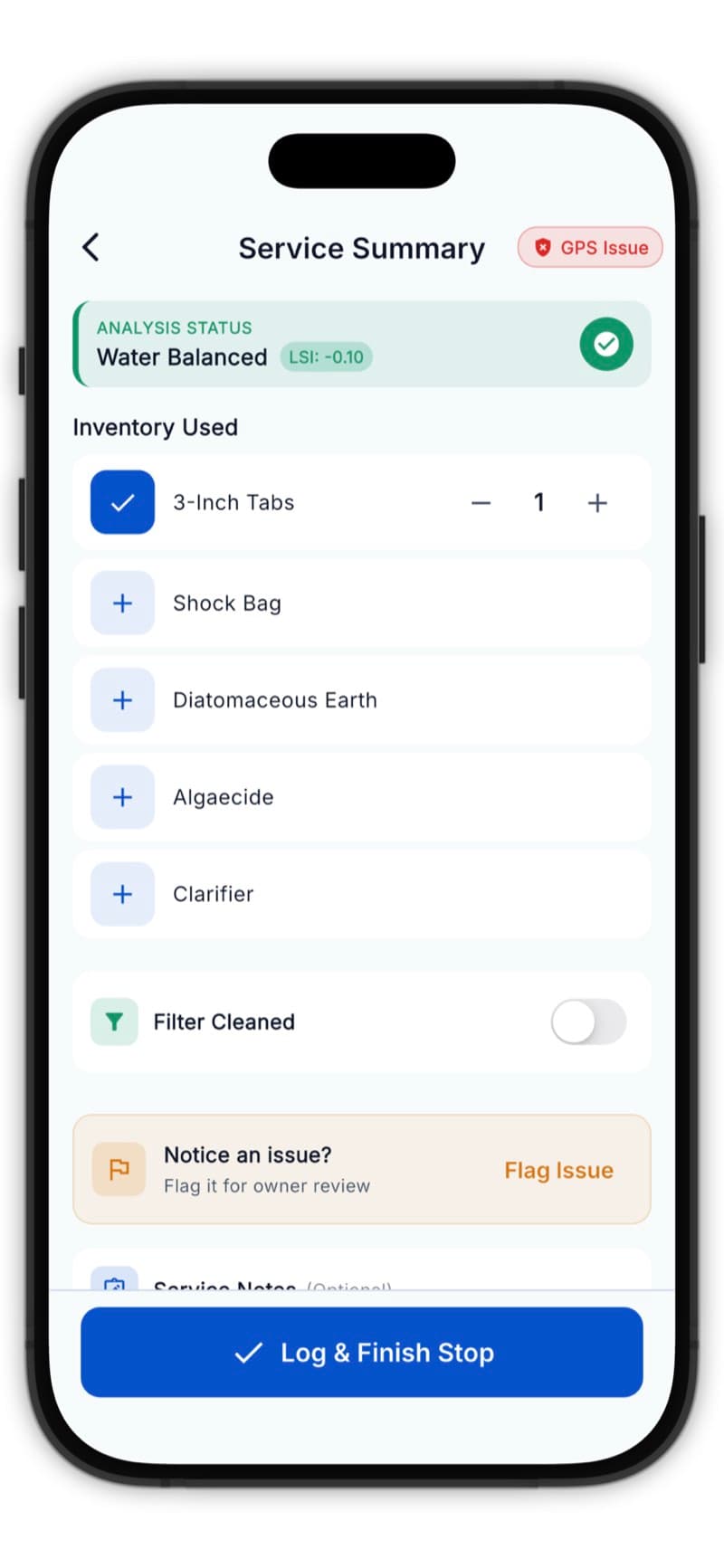
- Tap Flag Issue on the service screen
- Describe the problem
- Take photos (highly recommended)
- Complete the service
The Issue Report
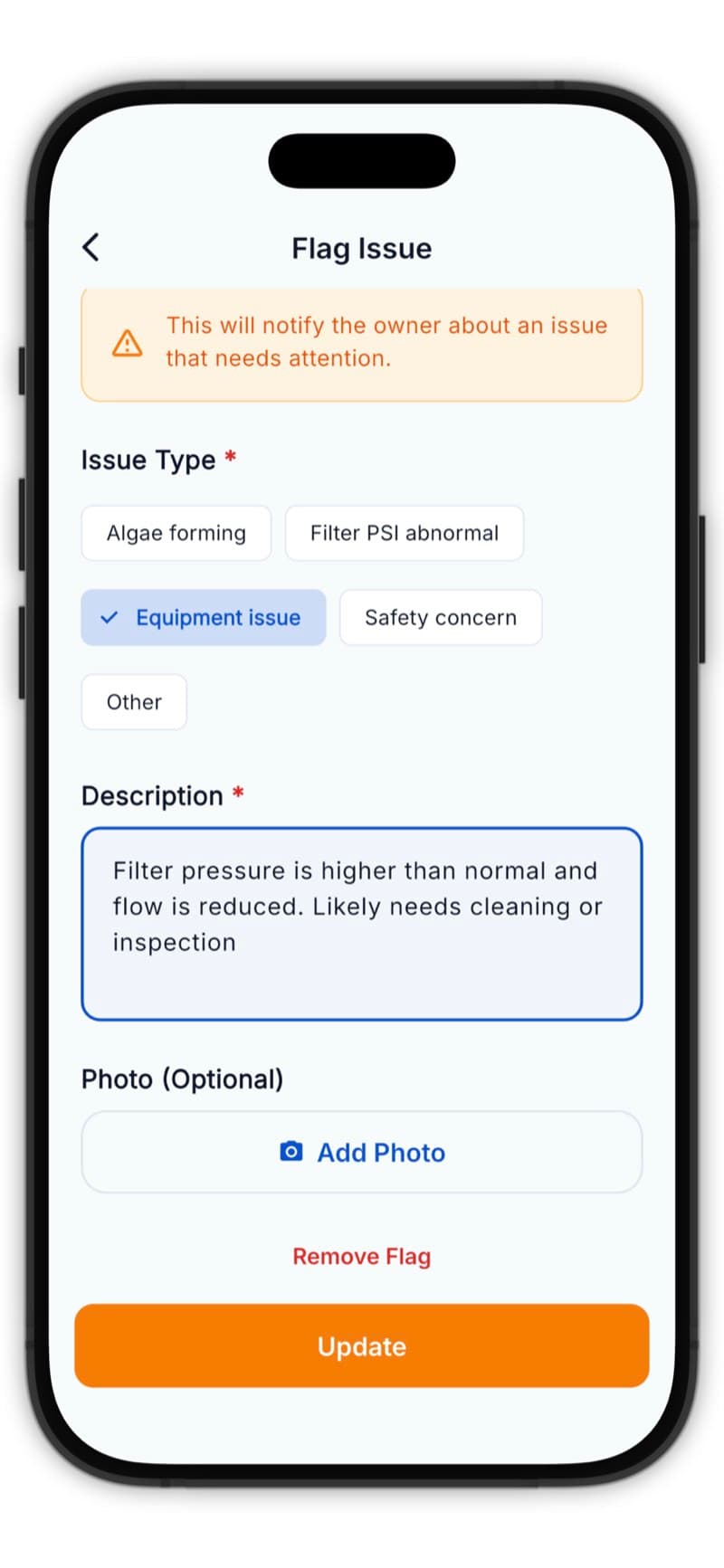
Include:
- Clear description - What's wrong?
- Severity - How urgent?
- Photos - Show the problem
- Recommendation - What should be done?
Issue Photos
Photos are crucial for issues:
- Take a wide shot for context
- Take a close-up of the specific problem
- Take multiple angles if helpful
Always photograph issues - your description plus photos give the owner clear information.
What Happens Next
For Solo Users
Issues appear in your dashboard and are included in the service report sent to the customer.
For Team Users
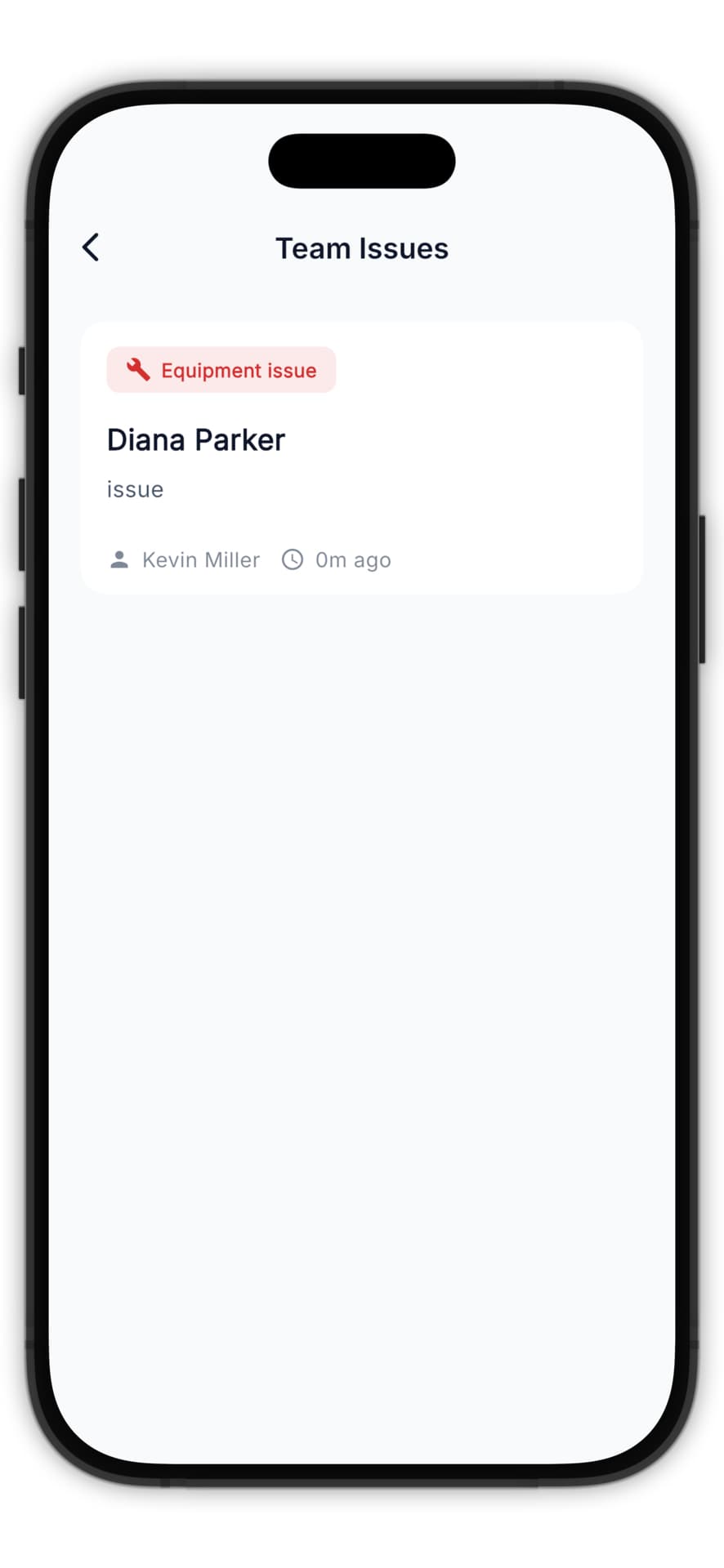
- The business owner receives a notification
- Issue appears in the Issues dashboard
- Owner can contact customer or assign follow-up
Example Issues
Equipment Problem
> "Pool pump making loud grinding noise. Bearings may need replacement. Recommend having a technician inspect before it fails completely."
Water Quality
> "Pool turned green despite normal chlorine levels. Likely phosphate issue. Recommend phosphate test and treatment. May need multiple visits."
Access Issue
> "Gate code 1234 no longer works. Had to call customer for entry. Please update code in system."
Following Up
Track issues over time:
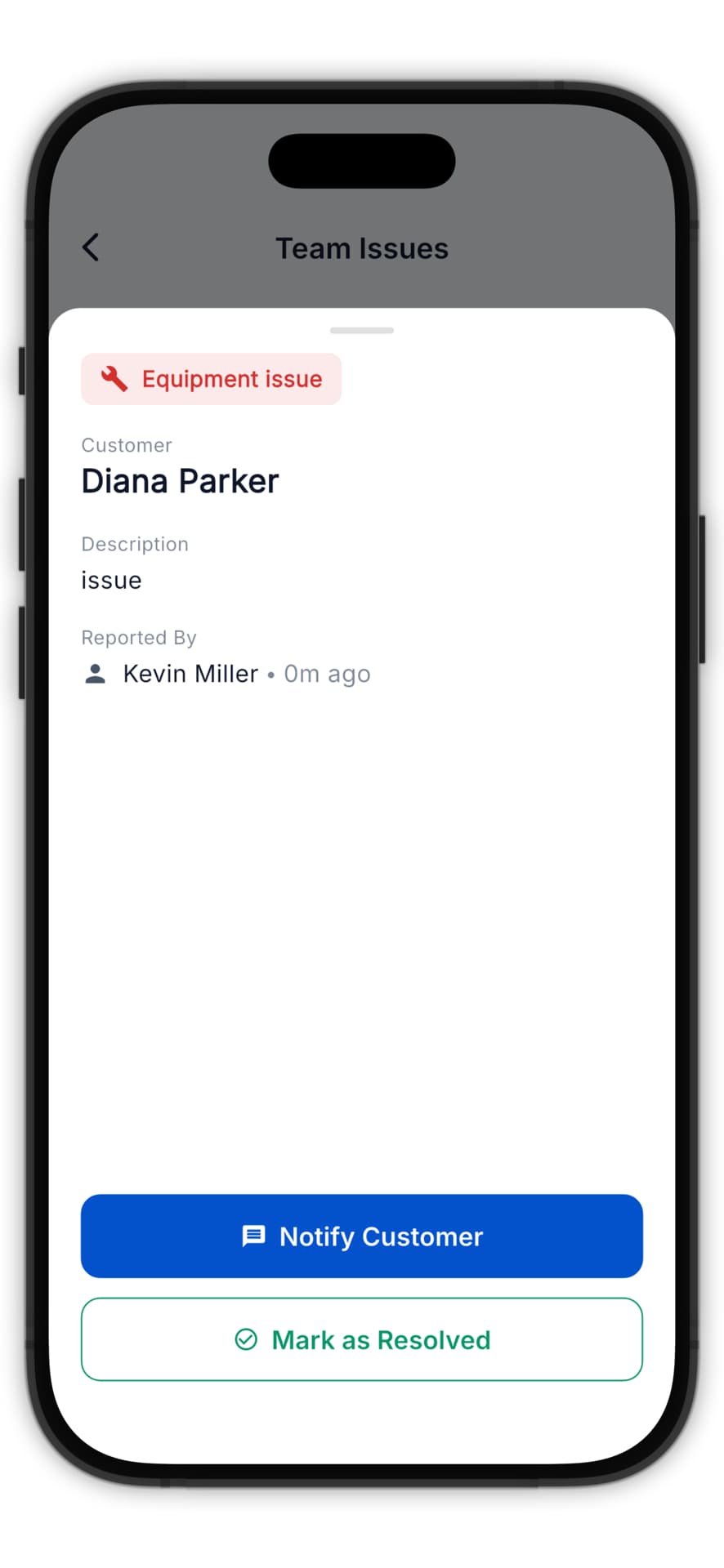
- View all flagged issues for a customer
- See which have been resolved
- Maintain a record for reference