Optimizing Your Route
PoolOps automatically calculates the most efficient route for your service stops. Learn how to get the best results.
How Route Optimization Works
PoolOps uses two strategies based on your route size:
- Small routes (under 12 stops): Uses Mapbox Optimization API for real-time traffic and turn restrictions
- Large routes (12+ stops): Uses a local algorithm that works offline
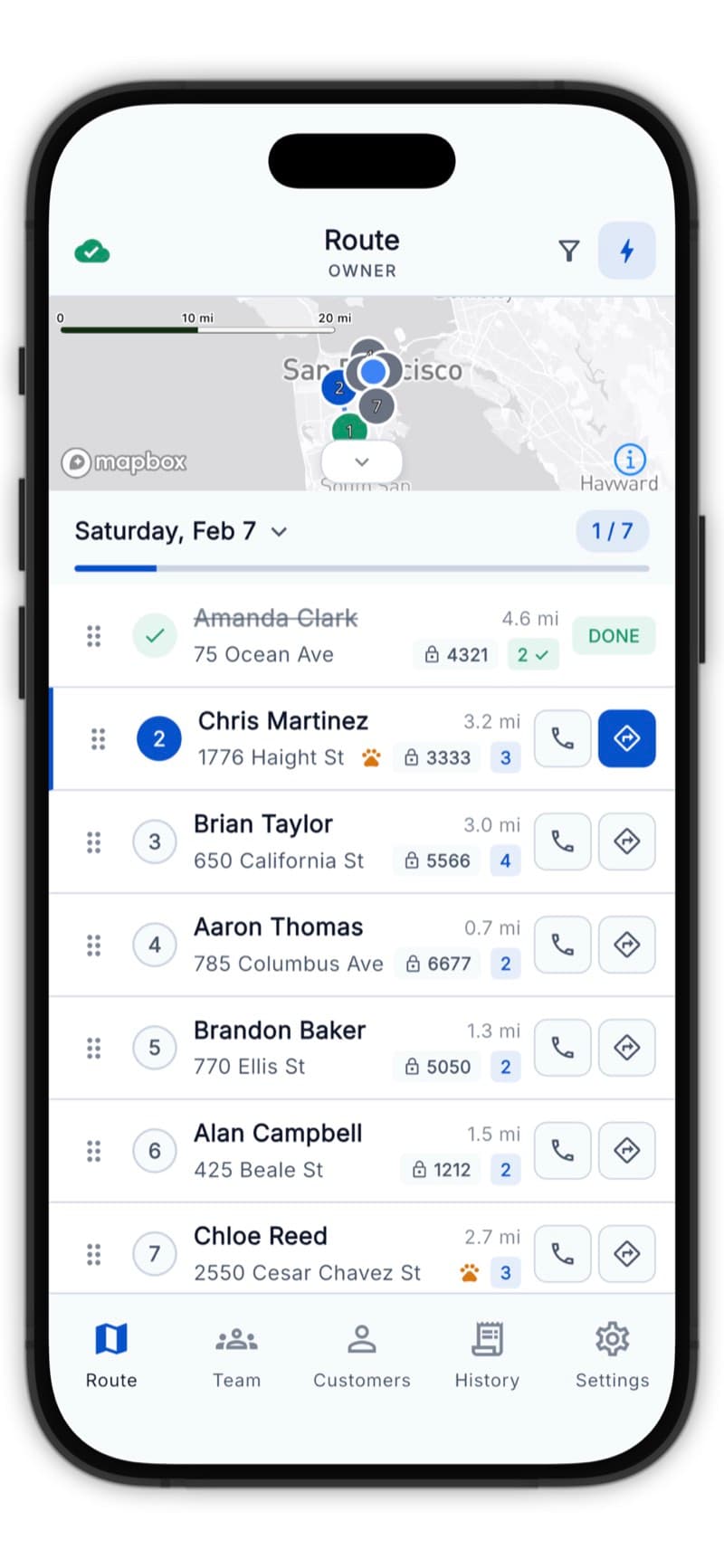
Running Optimization
- Open the Route tab
- Tap Optimize
- Choose your start point
- Choose your end point
- Tap Optimize Route
The stops will reorder for the shortest total drive time.
Start and End Points
Start Point Options
- Current Location - Start from where you are now
- First Stop - Begin at the first customer
- Saved Location - Home, office, or warehouse
End Point Options
- Open-ended - End at your last stop (go wherever is efficient)
- Last Stop - Explicitly end at a specific customer
- Saved Location - Return home or to the office
If you need to return home at the end of the day, set a saved location as your end point.
Saved Locations
Save frequently used locations for quick access:
Adding a Saved Location
- Go to Settings > Route Preferences
- Tap Add Location
- Enter an address or use current location
- Give it a name (Home, Office, Warehouse)
- Tap Save
Using Saved Locations
When optimizing, your saved locations appear as options for start and end points.
When to Optimize
Optimize Every Morning
Run optimization each morning before you start - traffic patterns change and new stops may have been added overnight.
Optimize After Changes
Re-optimize when:
- Customers are added or removed
- You skip a stop mid-day
- Traffic conditions change significantly
Manual Route Adjustments
Sometimes you need to override the optimization:
- Press and hold a stop card
- Drag it to a new position
- Release to drop it there
When to Manually Adjust
- Customer requested a specific time
- You know a shortcut the algorithm doesn't
- Logical grouping (nearby customers together)
Manual changes persist until you optimize again.
Route Efficiency Tips
- Group by area - Customers in the same neighborhood on the same day
- Consider traffic - Avoid rush hour areas during peak times
- Plan for access - Some gates only open at certain times
- Buffer time - Leave room for unexpected issues